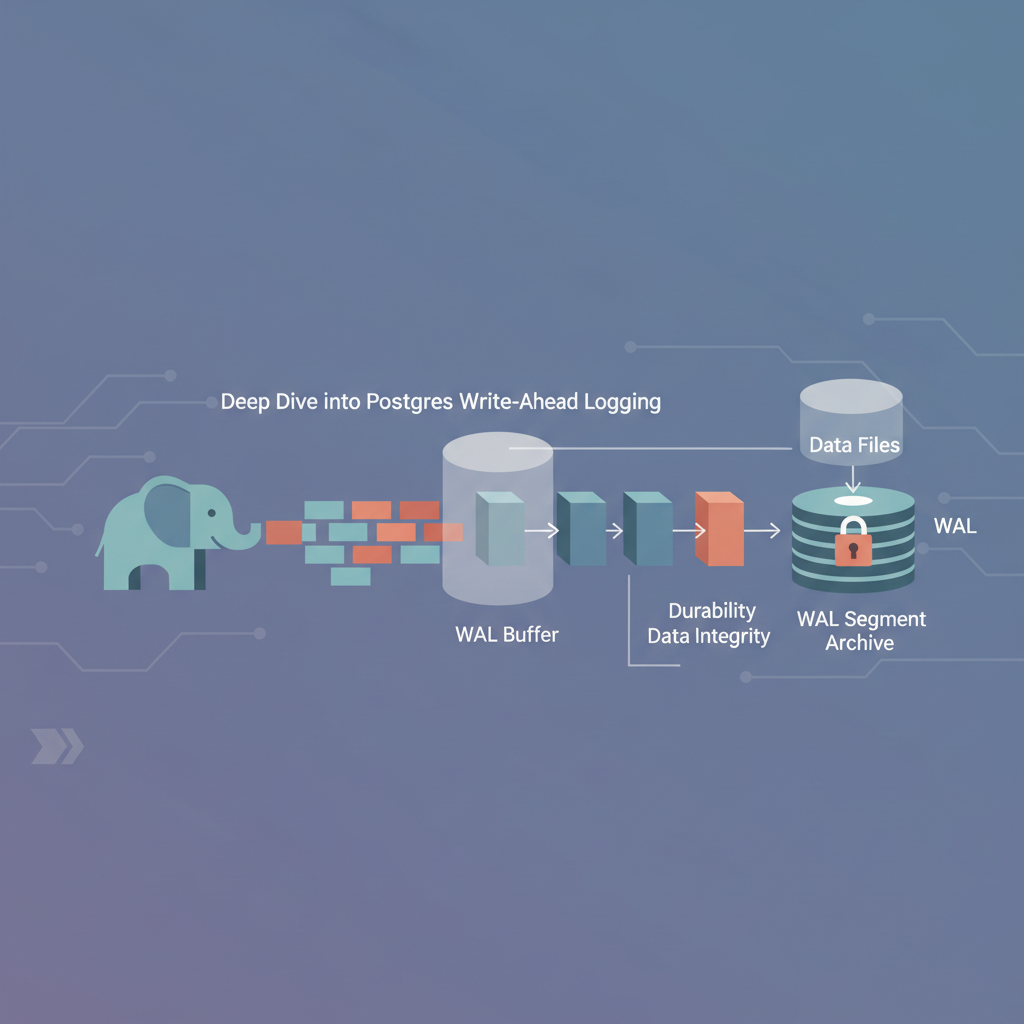
TL;DR — PostgreSQL’s Write‑Ahead Logging guarantees that every committed transaction survives power loss or crash. By understanding WAL internals, configuring archiving, and applying proven tuning patterns, you can build a fault‑tolerant production database that never loses data.
PostgreSQL’s reputation for reliability stems largely from its Write‑Ahead Logging (WAL) subsystem. While the concept of logging changes before they touch the data files is simple, the implementation packs a wealth of knobs, architectural choices, and failure‑recovery pathways that can make or break a production deployment. This post unpacks the WAL pipeline, shows how it interacts with replication and backup, and hands you concrete patterns you can copy into your own environments.
How WAL Works
Write Path Overview
When a client issues INSERT, UPDATE, or DELETE, PostgreSQL does not immediately modify the on‑disk heap pages. Instead it:
- Writes a WAL record describing the change to the in‑memory WAL buffer.
- Marks the corresponding buffer as dirty.
- Returns control to the client once the WAL record is flushed to the WAL file (the commit point).
Only after the WAL record is safely on disk does PostgreSQL allow the transaction to be considered committed. The dirty buffers are flushed later, either by checkpoint or by explicit pg_flush calls. This ordering guarantees write‑ahead semantics: the log always precedes the data.
The core function that creates WAL records lives in src/backend/access/transam/xlog.c. Each record contains:
- XLogRecPtr – a Log Sequence Number (LSN) that uniquely identifies the record’s position.
- Transaction ID – the XID of the transaction that generated the change.
- Payload – a compact, binary description of the modification (e.g., “insert tuple into page X”).
Log Sequence Numbers (LSNs)
An LSN is a 64‑bit integer encoded as segment:offset. For example, 0/16B6C0 means “segment 0, offset 0x16B6C0”. LSNs are the backbone of durability:
- Commit LSN – the highest LSN of a transaction that has been flushed to the WAL file.
- Replay LSN – the point up to which the WAL has been replayed during recovery.
Because every WAL record is monotonic, you can compare LSNs with simple integer arithmetic. This makes it trivial for replication slots, archiving scripts, and monitoring tools to know “what’s been written” vs. “what’s been applied”.
Architecture in Production
WAL Segments and Archiving
PostgreSQL writes WAL data in fixed‑size segments (default 16 MiB). When a segment is filled, the server switches to the next one and optionally recycles the old file. In a production setting you typically enable continuous archiving so that every completed segment is copied to an off‑site storage tier:
# postgresql.conf excerpt
archive_mode = on               # enable archiving
archive_command = 'pgbackrest --stanza=main archive-push %p'  # example using pgBackRest
wal_keep_size = 1GB            # retain recent WAL locally for replicas
The archive_command runs synchronously with WAL segment completion; if it fails, PostgreSQL will pause until the archive succeeds, providing a hard guarantee that no committed data is lost.
Replication Integration
Physical streaming replication relies on the same WAL pipeline. A standby connects to the primary, receives WAL records over the network, and writes them to its own WAL files. The standby can be configured in two modes:
- Hot standby – allows read‑only queries while replay is in progress.
- Logical replication – uses the logical decoding layer to transform WAL changes into row‑level events.
Both modes use the replay LSN to know how far they have applied changes. Monitoring pg_replication_slots and pg_stat_replication gives you a live view of replication lag, which is a direct measure of durability from the client’s perspective.
Tuning for Durability
Synchronous vs. Asynchronous Commit
PostgreSQL offers three commit strategies:
| Setting | Guarantees | Performance impact |
|---|---|---|
synchronous_commit = on (default) | WAL flushed to durable storage before ACK | Moderate latency |
synchronous_commit = remote_apply | Wait until standby has applied the WAL | Higher latency, higher safety |
synchronous_commit = off | ACK as soon as WAL is in memory | Lowest latency, risk of loss on crash |
For ultra‑critical tables (e.g., financial ledgers) you may enforce synchronous_commit = on per‑transaction:
BEGIN;
SET LOCAL synchronous_commit TO on;
INSERT INTO ledger (account_id, amount) VALUES (42, 1000);
COMMIT;
Checkpoint Frequency
Checkpoints force dirty buffers to be flushed to the data files, bridging the gap between WAL and heap. The checkpoint interval is driven by checkpoint_timeout (default 5 min) and max_wal_size (default 1 GiB). In a write‑heavy production system you might increase max_wal_size to reduce checkpoint frequency, at the cost of larger disk usage:
checkpoint_timeout = 15min
max_wal_size = 4GB
Monitoring pg_stat_bgwriter helps you see how often checkpoints occur and whether they are causing I/O spikes.
WAL Compression
PostgreSQL 15 introduced wal_compression which compresses WAL records before they hit the segment file. This reduces storage pressure for archiving but adds CPU overhead:
wal_compression = on
Enable it only if your storage layer is a bottleneck and you have spare CPU cycles.
Patterns in Production
1. Dual‑Tier WAL Retention
- Hot tier – keep the most recent 2 GB of WAL locally (
wal_keep_size). This satisfies fast‑catch‑up for newly added replicas. - Cold tier – archive older segments to object storage (e.g., AWS S3) using a tool like wal‑e or pgBackRest. The cold tier can be retained for weeks or months, enabling point‑in‑time recovery (PITR).
2. Continuous PITR with pgBackRest
pgBackRest combines base backups with WAL archiving. A typical backup schedule:
# Daily full backup at 02:00 UTC
pgbackrest --stanza=main --type=full backup

# Incremental backup every hour
pgbackrest --stanza=main --type=diff backup
Recovery is a two‑step process: restore the latest base backup, then replay archived WAL up to the desired target LSN or timestamp:
pgbackrest --stanza=main --type=restore --target-action=promote \
    --target-timestamp="2026-05-30 23:45:00"
3. Replication Slot Hygiene
Physical replication slots prevent PostgreSQL from recycling WAL segments that a standby still needs. However, if a replica disappears, the slot can cause unbounded WAL growth. Implement a watchdog that drops inactive slots:
SELECT slot_name, active, pg_wal_lsn_diff(pg_current_wal_lsn(), restart_lsn) AS lag_bytes
FROM pg_replication_slots
WHERE NOT active AND pg_wal_lsn_diff(pg_current_wal_lsn(), restart_lsn) > 10*1024*1024;
Automate the cleanup with a cron job that runs the above query and calls SELECT pg_drop_replication_slot('slot_name'); for stale entries.
Failure Scenarios & Recovery
Crash Recovery
When PostgreSQL restarts after an abrupt shutdown, it performs redo using the WAL:
- Scan the WAL from the last checkpoint LSN.
- Replay every record whose LSN is greater than the checkpoint LSN.
- Update the control file with the new
redopoint.
The duration of crash recovery is roughly proportional to the amount of WAL generated since the last checkpoint. Keeping checkpoints frequent (checkpoint_timeout) reduces recovery time, but you must balance against checkpoint I/O cost.
Disk Failure – Using Standby as Failover
If the primary’s data directory becomes unreadable, you can promote a streaming replica:
pg_ctl -D /var/lib/postgresql/15/main promote
The promoted standby will already have replayed all WAL up to the moment of promotion, ensuring no committed transaction is lost. For automatic failover, tools like Patroni or Stolon monitor replication lag and invoke promotion when the primary is unreachable.
Corrupted WAL Segment
Corruption can happen due to hardware faults. PostgreSQL can skip a corrupted segment if wal_recovery_skip_target is set, but this may lead to data loss. A safer approach is to restore from the most recent base backup and replay archived WAL up to the point before corruption:
pgbackrest --stanza=main restore
# Then start PostgreSQL; it will automatically replay archived WAL.
Always validate your backups with pgbackrest check and run periodic pg_verifybackup to catch corruption early.
Key Takeaways
- WAL is the single source of truth for durability – every committed transaction is first recorded in the WAL before any data file changes.
- Configure continuous archiving (
archive_mode+archive_command) to guarantee recoverability after catastrophic loss. - Synchronous commit gives the strongest durability guarantee; use it selectively for high‑value data.
- Tune checkpoints (
checkpoint_timeout,max_wal_size) to balance recovery speed against I/O overhead. - Adopt production patterns such as dual‑tier WAL retention, replication slot hygiene, and automated failover to keep the system resilient at scale.
Further Reading
- PostgreSQL WAL Introduction – official documentation covering WAL fundamentals.
- PostgreSQL WAL Settings – exhaustive list of configuration parameters.
- Understanding PostgreSQL WAL Architecture – a deep dive from Citus Data on how WAL drives replication and backup.