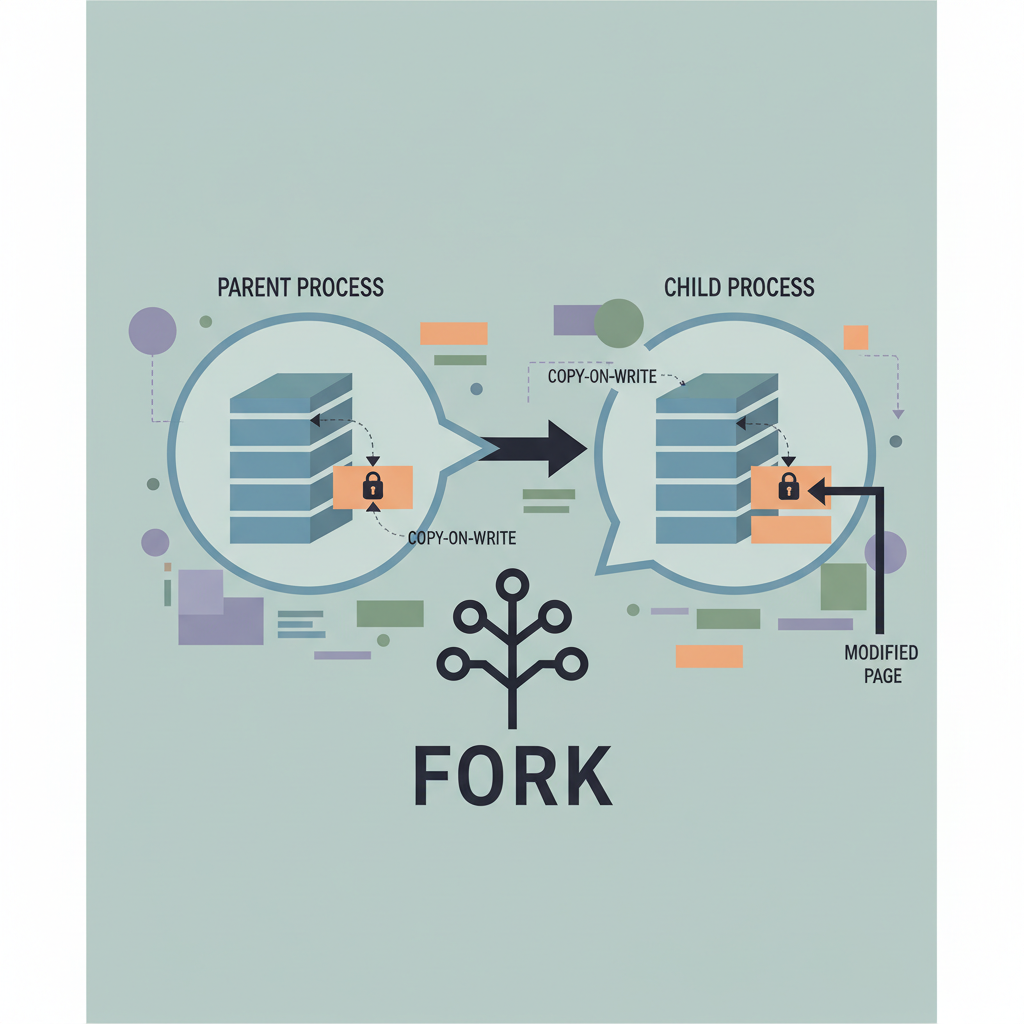
How Copy on Write Optimization Accelerates Linux Process Creation
An in‑depth look at Linux’s copy‑on‑write mechanism, explaining how it speeds up fork, the role of the kernel, and practical tips for developers.
Copy‑on‑write lets the kernel clone a process without copying its memory pages, deferring duplication until a write occurs, which dramatically speeds up fork.
Table of Contents Introduction Installing wget Basic Usage Advanced Options 4.1 Recursive Downloads & Mirroring 4.2 Timestamping & Conditional Requests 4.3 Bandwidth Limiting 4.4 Authentication & Cookies 4.5 Proxy Support 4.6 HTTPS, FTP, and Other Protocols 4.7 Resuming Interrupted Downloads 4.8 Robots.txt and Ethical Scraping 4.9 Output Control & Logging Scripting with wget Common Pitfalls & Troubleshooting wget vs. curl: When to Use Which? Real‑World Use Cases Security Considerations 10 Conclusion 11 Resources Introduction wget—short for World Wide Web GET—is a powerful, non‑interactive command‑line utility designed to retrieve files from the Internet using HTTP, HTTPS, and FTP protocols. Since its first release in 1996 as part of the GNU Project, wget has become a staple in the toolbox of system administrators, developers, DevOps engineers, and hobbyist power users alike. ...
Introduction grep—the global regular expression printer—has been a staple of Unix‑like systems since the early 1970s. At first glance, it appears to be a simple command‑line utility that searches files for lines matching a pattern. Under the hood, however, grep embodies a rich history of string‑matching algorithms, data‑structure innovations, and practical engineering trade‑offs. Understanding these algorithms not only demystifies why grep behaves the way it does on large data sets, but also equips you to choose the right tool (or tweak the right flags) for a given problem. ...
Introduction Linux, like every modern operating system, revolves around the concept of processes. A process is an executing instance of a program, complete with its own memory space, file descriptors, and execution context. Whether you’re a system administrator tuning a production server, a developer debugging a multithreaded application, or a security analyst hunting for malicious activity, a solid grasp of how Linux processes work is essential. This article dives deep into the lifecycle of a Linux process, the kernel structures that represent it, the tools you can use to inspect and control processes, and the practical techniques for managing them in real‑world environments. By the end, you’ll be equipped to: ...